Koblü

Educate • Collaborate • Evaluate
Koblü Language Cloud
Koblü Language Cloud is an all-encompassing virtual learning environment(VLE) designed to combine and manage all aspects of interactive language learning. Koblü includes several modules, including LEARN LMS, MEET, MEDIA, LIVESTREAM, NOTE and PLAN. Koblü is a hosted, online solution which can be accessed by any computer or mobile device through the internet or in the classroom.
Koblü can be used to create, control and manage entire language courses, or to supplement standard course material. Students access course material in their virtual online environment, interact with other students, do homework and take tests all in one “virtual” location. Instructors have full control of the system and how students interact with it.
Click a link below to learn more.


Interactive Web-Based Language Learning
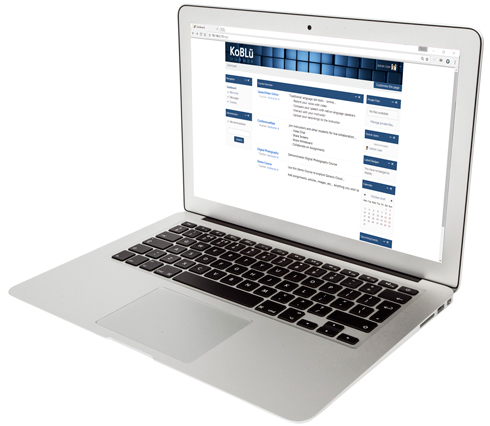
The Koblü Learn LMS can be used as the core component of your distance learning system and can be integrated into your local, physical learning environment.
Instructors may create their own course material, or import readily available materials in SCORM format. Use of this open-source format allows for easy sharing of quality learning materials.
Course creation is simple and does not require any advanced technology skills. Step-by-step templates allow instructors to create courses which may contain text, graphics, video files, audio files, tests, conversations, video conferencing, and many other multimedia tools. Courses and students are tracked within the Koblü system.
Koblü Learn includes our integrated SpeechMate digital recorder, allowing students to practice foreign language conversation and drills within their web browser. This special language lab tool facilitates language learning from any computer on the planet. All student recordings are stored on the central Koblü server at the Linguatronics data center, providing secure, private access from anywhere.
Features:
- Conduct Online Courses
- Video Conference with Remote Students
- Integrated SpeechMate module for language recording and native speaker comparison
- Augment Classroom Courses
- Collaborative Forums
- Develop Custom Lessons
- Standard SCORM packages for sharing course materials
- Online Assignments
- Online Quizzes
- Integrate Audio, Video, Text
Koblü Learn Courses include the following:
- Syllabus
- Administrative Information
- Calendar
- Forums
- Content
- Quizzes
- Tests
- Chatrooms
- Statistics
- SpeechMate Online
- ConferenceMate Sessions
- Much More!
Why Koblü Learn?
- Lower Cost of Instruction
- Easy Online Instruction
- Flexible Learning
- Integrates with your CIS
- Today’s Tech-Savvy Students
- Teach/Learn from Anywhere
- Share Common Materials
- Windows
- Mac
- Linux
- iOs
- Android

Web Meetings For Online Language Teaching
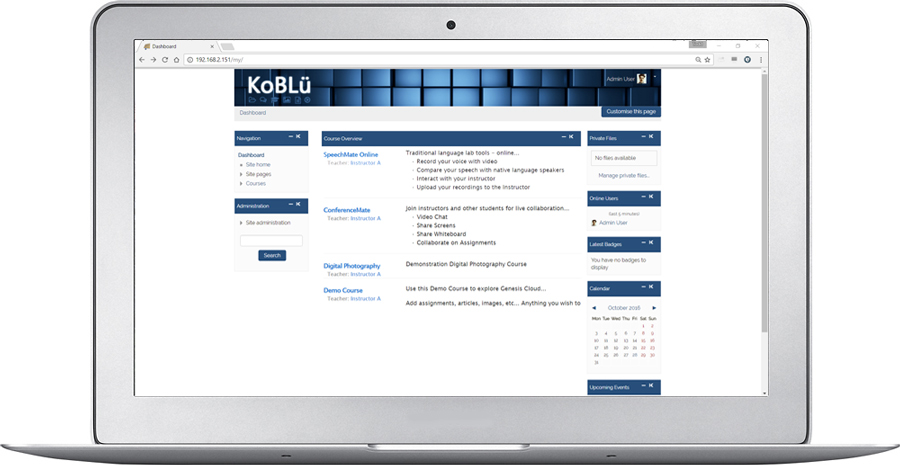
Koblü Meet allows your students to access your live language courses and peer practice from any web browser and any location. As the instructor, you are in complete control of all online sessions, including audio, chats and webcams. You can make any participant the presenter, including yourself.
This distance education system provides you with special whiteboard tools, so you can zoom, highlight, draw and type on your presentation to make the discussion extra clear to your remote students.
Koblü Meet includes all of the powerful features needed to enjoy effective, fun and reliable online learning. As an instructor, your webinars, web meetings and online classes are now complete.
Key Features:
- Whiteboard - annotate your presentation.
- Webcam - unlimited webcam connections for small groups or large remote classes.
- Desktop Share - broadcast your computer screen to the students in your online class.
- Presentation Slides - use your MS Office or PDF files as the basis for your lesson presentation. Participants sync automatically.
- Surveys - increase student engagement by polling them at anytime and viewing feedback in real-time.
- Session Recording - record your online sessions and save them for later review by students.
- Flexible Audio Options - participants may use their browsers for audio communication - WebRTC or Flash.
- Chat - Chat privately with online students or engage in a public chat forum.
 Online Media-On-Demand
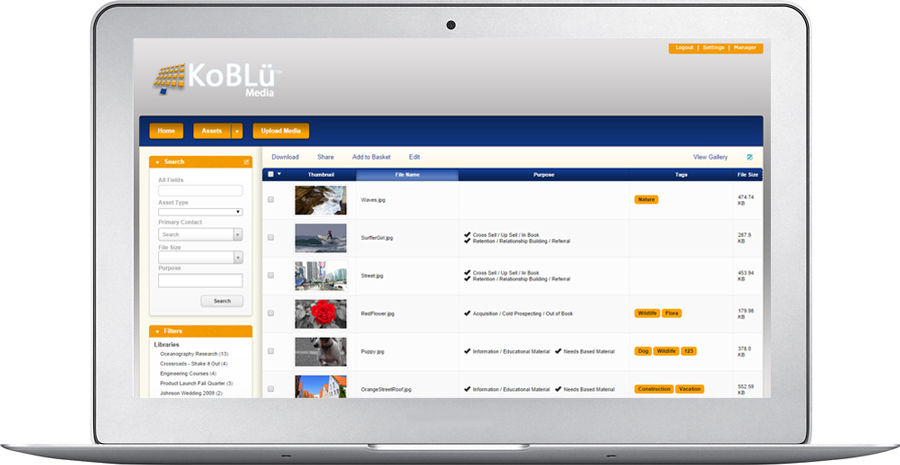
Koblü Media allows you and your students to store, organize and retrieve any type of media online. As a highly accessible media vault, Koblü Media acts as a Video on Demand system, as well as a file collaboration and sharing system. Since the system is hosted in the cloud, all of your files are accessible anytime and from anywhere. This allows you and your students to manage course files, watch video clips, listen to audio presentations and much more.
Language teaching relies heavily on digital video and audio. With Koblü Media you can organize your curriculum media into libraries and categories and restrict usage by class, level or any other role. The system uses the latest video streaming technologies allowing your students to view and interact with their media from any digital device.
File Types and Uses:
- Image
- jpg, png, gif, bmp, tiff, raw, eps, etc.
- Audio
- wav, aiff, mp3, m4a, wma, webm, etc.
- Video
- avi, mp4, flv, mov, qt, webm, mkv, vob, wmv, mpg, mp2, etc.
- Document
- doc, docx, xls, xlsx, ppt, pptx, rtf, pdf, etc.
- Project Media
- Assignment Recordings
- Native Speaker Audio and Video Clips
- Foreign Language Video Programs
- Essays
- Reports
- Much More
 Livestream Seminars and Classes
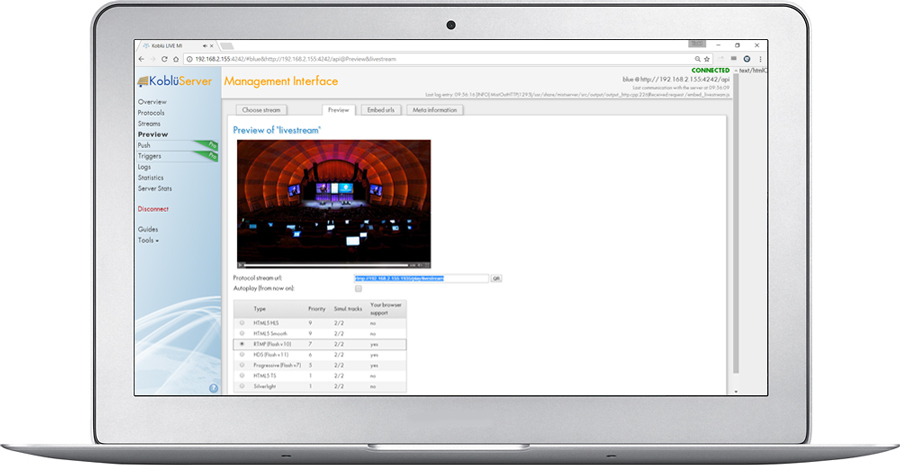
Koblü Livestream offers a simple yet powerful live broadcasting system for any live program need. Whether you want to broadcast your daily lecture or have your students live stream a foreign language activity, Koblü allows you to broadcast live, anytime and from anywhere. Your broadcasts can be easily recorded for later viewing, grading or sharing.
Whether you plan to broadcast your program live to 10 people or to 10,000 people Koblü Livestream will scale to your immediate need - all in HD. Your viewers can tune in on any device, including mobile phones, tablets or computers. The Livestream module is highly scalable, allowing you to implement multiple broadcast channels so that you can stream several events simultaneously, or so that your students can all livestream their own content at the same time.
The Koblü Livestream management interface provides you with stream setup and management tools that are easy to understand and implement. By simply creating and naming a stream, you provide a pathway for your broadcasters to initiate their streams. The Livestream server then streams the live broadcast in multiple formats allowing iOs, Android or Computer users to have the same viewing experience.
 Note-Taking in The Cloud
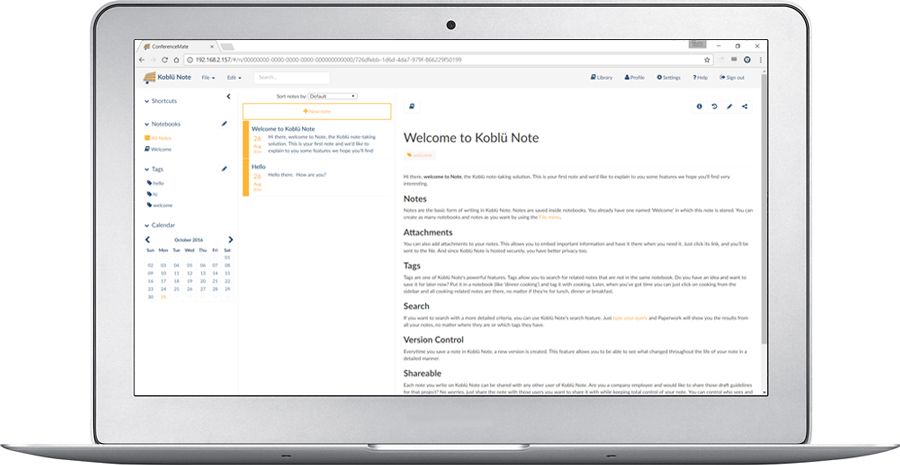
Koblü Note is a powerful note-taking tool that allows you and your students to create, store and share your notes. Whether daily lecture notes, peer-project notes or personal reminders, Koblü Note allows you to manage all of your notes from any device, anywhere in the world - privately and securely.
With Koblü Note, any user can have multiple notebooks, each containing unlimited notes. Notes may include attachments, such as images or documents.
Another power tool available in Note is tagging. By adding tags to your notes, you can easily find any note based on those tags. In addition to tagging, Note allows you to search all of your notes in any notebook and find notes based on the text contained in the notes.
Koblü Note also allows you to track changes to your notes in a detailed manner. Each time you save a note, a new version is created, providing you with powerful version control capabilities.
Sharing your notes is easy. Share a note with a class or just a few individuals. Easily control viewing and editing permissions and track who changed what thanks to the integrated version tracking tools.
 Plan Your Course. Plan Your Life.
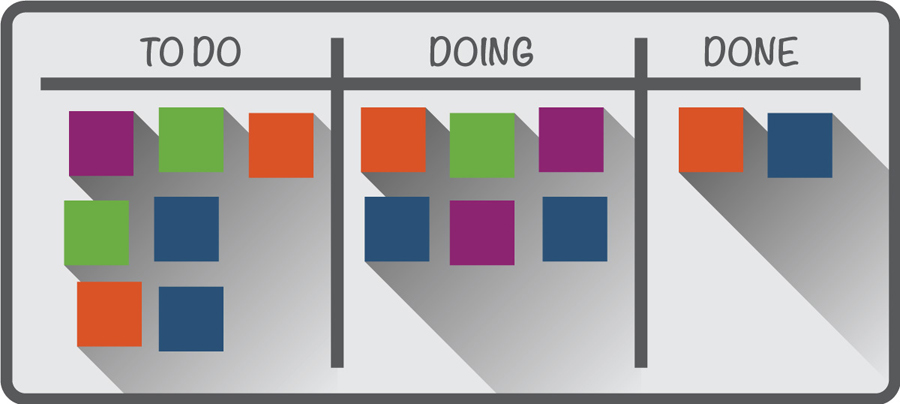
Koblü Plan is a kanban style project management system, providing visual planning tools for your courses or for your individual students. Where highly collaborative work is required, Koblü Plan is a must. The kanban concept is pretty simple. Items on your project list are each treated as "cards." Kanban is based on a process developed for manufacturing, but is widely used by tech companies and educational institutions. Cards might represent a task, which is moved across a board to represent its flow through development, completion and feedback. Digital technology allows attachments to these cards: images, links, additional lists, a person assigned to the task, etc. Kanban tools are multi-purpose, and you can also use them to track next actions, someday/maybe lists, or even just what classroom supplies you need to pick up. A key ability of Koblü Plan is the ability to share your boards with a class, allowing group collaboration and keeping everyone on the same page.
Koblü Plan allows your students to improve their learning processes by:
- Visualizing
- Limiting Work in Process
- Managing Flow
- Making Explicit Plans
- Implementing Feedback Loops
- Improving Collaboratively, Evolving Experimentally
GRANT IDEAS
Implementing a second language classroom or laboratory is a big commitment, and can require funding sources outside of normal budgets. The links below provide ideas and resources on how to write funding proposals and where to look for outside funding.
Writing Grant Proposals:
Philanthropy at Independent Schools, Third Edition
Fundraising Basics for Private School Facilities
Big-Time Fundraising for Today's Schools
Capital Financing for Private & Independent Schools
Finding Funding Sources:
US State Department English Language Teaching & Learning
The Japan Foundation Grants for Language
US Department of Education International Education Programs
US Department of Education Foreign Language Assistance Program
Edward Ford Foundation for Independent Schools
Foundation Center Local Funding Support
Worldwide Language Training Systems Provider
"The sun never sets on Linguatronics installations."
Click to Watch an Introduction to Linguatronics.
Linguatronics has a worldwide dealer network.
To inquire about becoming a dealer, contact us here.